Wake, work, persist, sleep
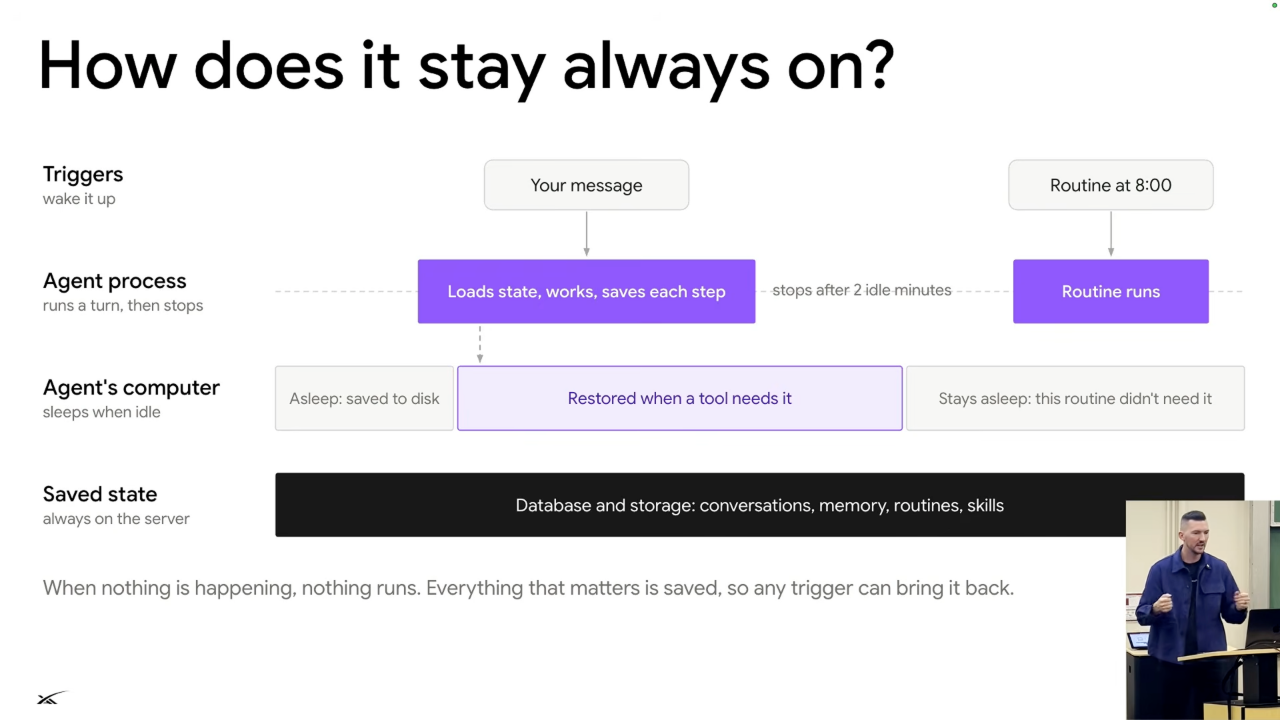
Figure 1. A trigger wakes the agent process; the computer wakes only when a tool needs it. Saved state survives both going idle. Source: leerob, 10:35.
- Start with the agent server and its computer asleep. A user message or another trigger wakes the server and loads the agent's state.
10:0510:35 - Start the computer only if the task needs it, such as for browser interaction. Server and computer resources can return to sleep afterward.
10:35 - Persist conversation logs, memories, and routines in storage. Sleeping avoids the expense and resource demand of keeping everyone's server and computer active continuously.
10:58 - Route incoming events into the conversation, deduplicate them, and decide whether the user needs a notification. Background progress should not automatically become an interruption.
11:4312:13
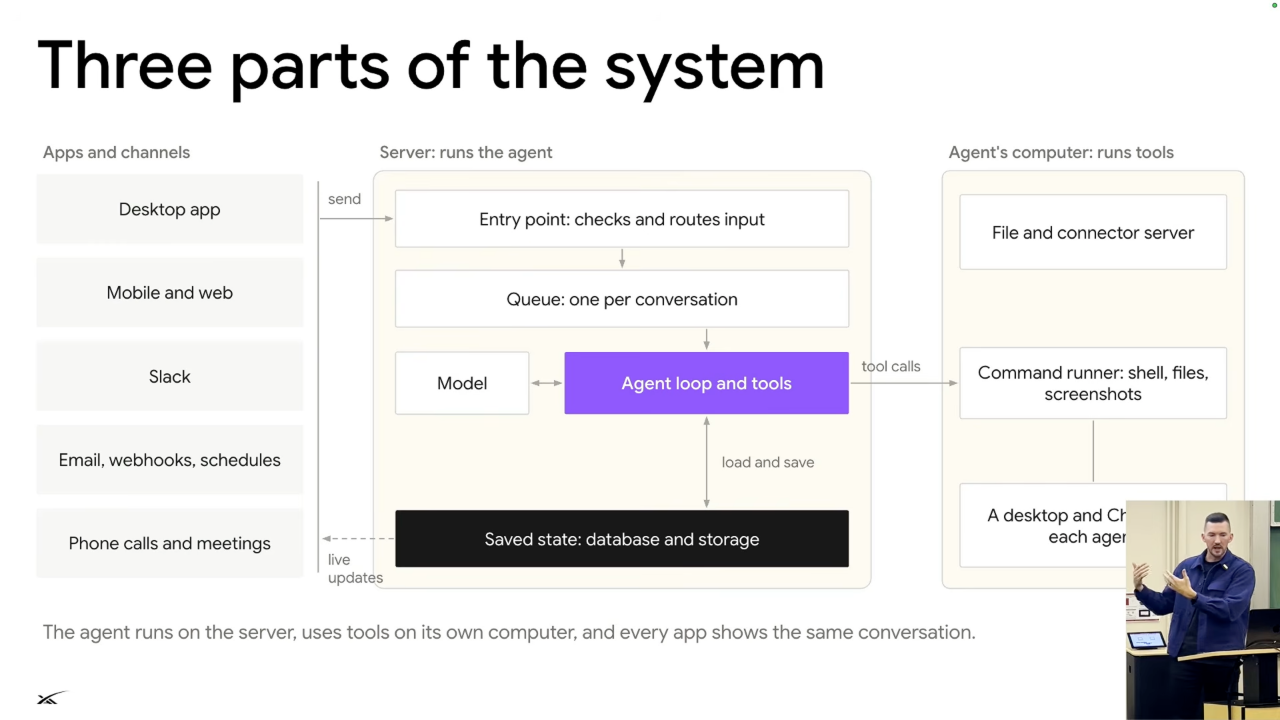
Figure 2. Apps feed a server-side queue and agent loop. The loop saves state centrally and calls tools on a separate computer. Source: leerob, 13:30.
Cloud computer
- The Linux computer runs in a Firecracker VM. Snapshots let it shut down and resume; the user can also connect to a live view and control it.
12:13 - Shell commands run in a secured environment separate from the user's laptop. Chrome and virtual desktops let multiple bots use distinct screens within shared infrastructure.
12:4313:08 - The core remains a model using tools in a loop. Queues, persistence, computers, and service connections turn that small core into a broader product.
13:30